Network Solutions for Security Camera Systems 2025
How to build the right network for IP cameras? PoE switches, bandwidth, NVR and VLAN configuration - expert guide for professionals.
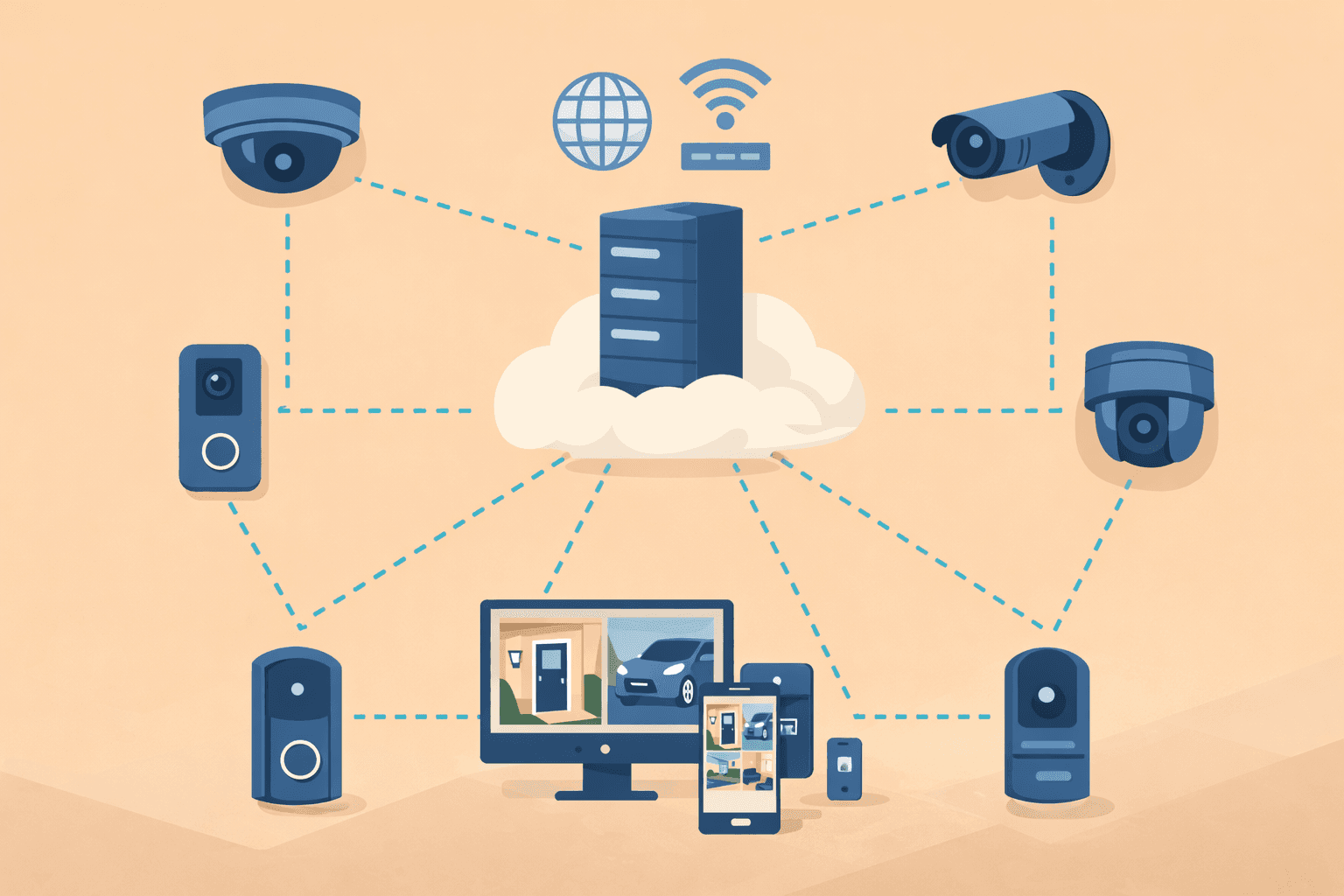
How to build the right network for IP cameras? PoE switches, bandwidth, NVR and VLAN configuration - expert guide for professionals.
Network Solutions for Security Camera Systems 2025
The performance of a modern security camera system greatly depends on the network infrastructure behind it. Even the best 4K camera is useless if the network can't handle the video stream. In this guide, we'll show you how to design and build a network that reliably serves your camera system.
> Important note: The specifications in this article are for informational purposes. The exact network plan will be prepared during an individual consultation based on your camera system and property characteristics.
Quick Comparison - Camera Types Network Requirements
| Camera type | Bandwidth | Power | Recommended connection |
|---|---|---|---|
| 1080p WiFi | 2-4 Mbps | Adapter | WiFi 5 GHz |
| 4K WiFi | 8-12 Mbps | Adapter | Dedicated WiFi 6 |
| 1080p PoE | 2-4 Mbps | PoE (802.3af) | Cat5e cable |
| 4K PoE | 8-12 Mbps | PoE+ (802.3at) | Cat6 cable |
| PTZ PoE | 10-15 Mbps | PoE+ (802.3at) | Cat6 cable |
1. Bandwidth Requirements in Detail
Resolution and Bandwidth Relationship
Camera bandwidth requirements depend on several factors:
| Resolution | H.264 compression | H.265 compression | Notes |
|---|---|---|---|
| 1080p (2MP) | 4-6 Mbps | 2-4 Mbps | Basic surveillance |
| 2K (4MP) | 8-10 Mbps | 4-6 Mbps | Detailed image |
| 4K (8MP) | 16-32 Mbps | 8-15 Mbps | Maximum detail |
H.264 vs H.265 Compression
The H.265 (HEVC) codec requires up to 50% less bandwidth for the same image quality. Key benefits:
> Recommendation: Always choose H.265 compatible cameras and NVR. In 2025, this is a basic requirement.
Frame Rate Impact
| Frames/sec (fps) | Usage | Bandwidth impact |
|---|---|---|
| 5-10 fps | Basic monitoring, motion detection | Low |
| 15-20 fps | General security | Medium |
| 25-30 fps | Detailed surveillance, face recognition | High |
Calculation Example
8-camera 4K system with H.265 compression:2. PoE vs WiFi Cameras - Which to Choose?
PoE (Power over Ethernet) Cameras
Advantages:| Advantage | Explanation |
|---|---|
| ✅ Reliability | No WiFi interference, stable connection |
| ✅ Simple installation | One cable = data + power |
| ✅ Greater distance | Up to 100 meters with Cat5e |
| ✅ Centralized power | All cameras protected by UPS |
| ✅ Higher bandwidth | Gigabit connection for each camera |
WiFi Cameras
Advantages:| Advantage | Explanation |
|---|---|
| ✅ Easy installation | No cabling |
| ✅ Flexible placement | Anywhere with power outlet |
| ✅ Lower cost | No switch needed |
Our Recommendations
| Situation | Recommended solution |
|---|---|
| 2-4 cameras, existing home | WiFi cameras (Tapo, Reolink) |
| 5+ cameras | PoE system |
| New construction | PoE + structured cabling |
| Business | PoE only |
| Critical areas | Always PoE |
3. PoE Standards and Switch Selection
PoE Standards Comparison
| Standard | IEEE | Max power | Typical devices |
|---|---|---|---|
| PoE | 802.3af | 12.95W (15.4W injected) | Basic IP cameras, IP phones |
| PoE+ | 802.3at | 25.5W (30W injected) | PTZ cameras, 4K cameras, APs |
| PoE++ | 802.3bt Type 3 | 51W (60W injected) | Heated cameras, PTZ zoom |
| PoE++ | 802.3bt Type 4 | 71.3W (100W injected) | LED lighting, special devices |
Typical Camera Power Consumption
| Camera type | Consumption | Required PoE |
|---|---|---|
| Fixed dome/bullet 1080p | 3-8W | 802.3af |
| Fixed dome/bullet 4K | 8-12W | 802.3af or 802.3at |
| PTZ camera | 15-25W | 802.3at |
| IR PTZ camera | 20-30W | 802.3at |
| Heated outdoor | 30-50W | 802.3bt |
PoE Switch Selection
Critical considerations:1. Port count planning
2. PoE Budget (total power)
3. Uplink port type
Recommended PoE Switches
For small systems (4-8 cameras):| Product | Ports | PoE Budget | Uplink |
|---|---|---|---|
| UniFi Switch Lite 8 PoE | 8 | 52W | 1 Gbps |
| TP-Link TL-SG2008P | 8 | 62W | 1 Gbps |
| Netgear GS308EP | 8 | 62W | 1 Gbps |
| Product | Ports | PoE Budget | Uplink |
|---|---|---|---|
| UniFi Switch Pro 24 PoE | 24 | 400W | 2 × SFP+ |
| TP-Link TL-SG3428XMP | 24 | 384W | 4 × SFP+ |
| Hikvision DS-3E1518P-SI | 16 | 230W | 2 × 1 Gbps |
| Product | Ports | PoE Budget | Uplink |
|---|---|---|---|
| UniFi Pro Max 48 PoE | 48 | 720W | 2 × SFP28 |
| Hikvision DS-3E1552P-SI | 48 | 470W | 4 × SFP |
4. Cabling Guidelines
Ethernet Cable Types
| Cable | Max speed | Max distance | PoE support | Recommended |
|---|---|---|---|---|
| Cat5e | 1 Gbps | 100m | PoE/PoE+ | Basic systems |
| Cat6 | 10 Gbps (55m) | 100m | PoE/PoE+/PoE++ | Best choice |
| Cat6a | 10 Gbps | 100m | PoE/PoE+/PoE++ | Professional |
> Recommendation: For new installations, always use Cat6 cable. The cost difference is minimal, but future expandability is guaranteed.
Outdoor Cabling
For outdoor cameras:Maximum Cable Length
PoE standards allow a maximum distance of 100 meters. For longer distances:
| Solution | Distance | Notes |
|---|---|---|
| Standard PoE | max 100m | Default case |
| PoE extender | 200-300m | 1 extender per 100m |
| Fiber optic | 10+ km | Fiber + media converter |
5. NVR Network Configuration
NVR Types
| Type | Advantage | Disadvantage |
|---|---|---|
| Standalone NVR | Simple, self-contained | Limited expandability |
| PoE NVR | Built-in PoE switch | Smaller port count |
| Software-based (PC) | Flexible, scalable | More complex |
NVR Network Requirements
Bandwidth calculation:Dedicated Camera Network
Why is separation important?1. Security - Cameras not accessible from main network
2. Performance - Video traffic doesn't burden office network
3. Reliability - Network issues don't affect cameras
Recommended architecture:| Network Layer | Components | Notes |
|---|---|---|
| Internet | WAN connection | For external access |
| Router/Firewall | Main router/firewall | With VLAN support |
| VLAN 1 | Office network | PCs, laptops |
| VLAN 10 | Camera network | PoE Switch → IP Cameras + NVR |
| VLAN 20 | Guest network | Isolated guest traffic |
6. VLAN Configuration for Cameras
Why Use VLANs?
| Reason | Explanation |
|---|---|
| Security | Cameras isolated from personal devices |
| Performance | Video traffic doesn't burden main network |
| Management | Easier troubleshooting and monitoring |
| Compliance | GDPR and data protection requirements |
VLAN Setup Steps
1. Switch configuration:7. Popular Camera System Solutions
UniFi Protect
Features:Hikvision + Generic PoE
Features:Tapo/Reolink WiFi
Features:8. Recommendations by Camera Count
2-4 Cameras
Solution: WiFi cameras or simple PoE Network: Existing router sufficient Cost: Low Configuration:5-10 Cameras
Solution: PoE system with NVR Network: Dedicated PoE switch required Cost: Medium Configuration:10+ Cameras
Solution: Professional PoE infrastructure Network: Structured cabling, 10G uplink Cost: High Configuration:9. Common Mistakes and Solutions
"Camera constantly offline"
Causes:"Video is choppy"
Causes:"Can't access cameras remotely"
Causes:"Switch PoE port doesn't provide power"
Causes:10. Future-Proof Planning
What to Prepare For?
| Trend | Network impact |
|---|---|
| 8K cameras | 20-30 Mbps/camera |
| AI analytics | More processing demand |
| Edge computing | AI running on camera |
| Cloud backup | Upload bandwidth critical |
Recommendations
1. Cat6/Cat6a cabling - 10 Gbps ready
2. PoE+ switches - For future cameras
3. 10G uplink - For 10+ 4K cameras
4. Scalable NVR - Expandable storage
5. VLAN architecture - Secure foundation
Summary
A reliable camera system stands on three pillars:
1. Adequate bandwidth - H.265, gigabit network
2. Stable power supply - PoE system, UPS
3. Secure network - VLAN separation
Don't skimp on network infrastructure - it's the foundation of your camera system.
---
We Help You Design and Install Your Camera System!
Not sure what network infrastructure is needed for your security camera system? During a free consultation we'll help you design the complete system, from cabling to configuration.
Request expert assistance →Related Articles
Interested in smart home implementation?
Request a free quote and consultation from our experts!
Free Quote →