Network Infrastructure for Smart Homes 2025 - Complete Guide
How to build a reliable network for your smart home? Mesh WiFi, VLAN, PoE switches and bandwidth planning - everything you need to know in 2025.
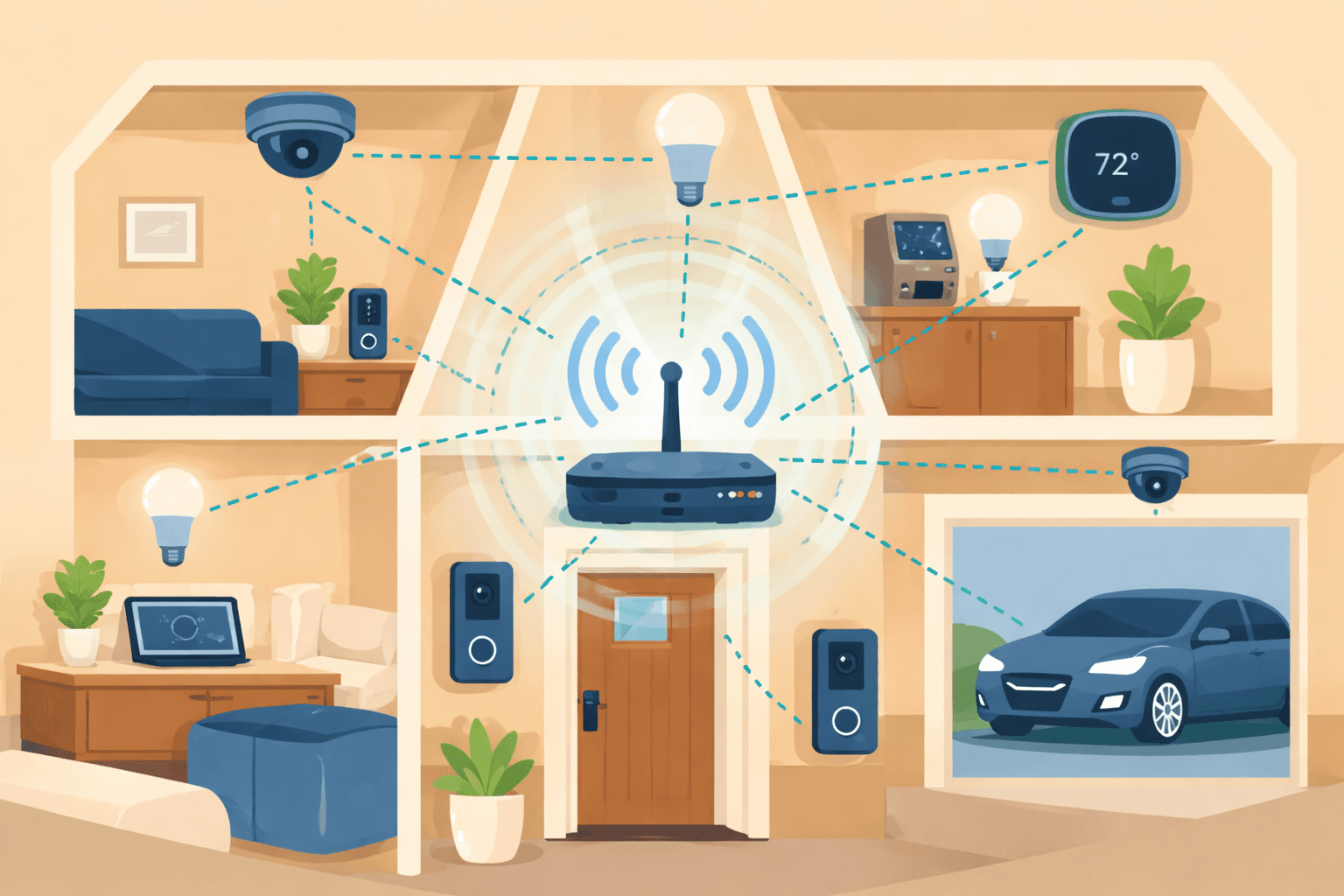
How to build a reliable network for your smart home? Mesh WiFi, VLAN, PoE switches and bandwidth planning - everything you need to know in 2025.
Network Infrastructure for Smart Homes 2025 - Complete Guide
The reliability of smart home systems depends on a single factor: network infrastructure. Even the best smart bulbs or security cameras become useless if the WiFi connection is unstable. In this guide, we'll show you how to build a network that will reliably serve your smart home for years to come.
> Important note: The specifications and recommendations in this article are for informational purposes. The exact configuration will be determined during an individual consultation based on your home's specific characteristics.
Quick Comparison
| Solution | Target Audience | Advantage | Disadvantage |
|---|---|---|---|
| Mesh WiFi | Family homes | Easy setup, good coverage | Limited features |
| UniFi | Tech enthusiasts, businesses | Professional, expandable | Higher cost, complex |
| TP-Link Omada | Small businesses | Good value, free cloud | Smaller ecosystem |
| ASUS AiMesh | Home users | Easy management | Stability issues |
1. Why Network is Critical for Smart Homes
The Explosive Growth of Connected Devices
The average household now has 27 internet-connected devices. By the end of 2025, this number is expected to grow to 33-50 devices. These include:
Traditional Router Limitations
An average ISP-provided router effectively covers only 1,200-1,800 square feet (about 110-170 m²). More importantly: performance significantly degrades with 15+ devices.
Typical problems:Bandwidth Requirements
A modern smart home requires at least 300 Mbps internet speed, but gigabit (1000 Mbps) is ideal. This is especially important if:
2. Mesh WiFi vs Traditional Router
What is Mesh WiFi?
A mesh WiFi system consists of multiple communicating units that form a single, high-coverage network. Devices automatically connect to the unit with the strongest signal.
Mesh WiFi Advantages
| Advantage | Explanation |
|---|---|
| Seamless roaming | Devices automatically switch to the nearest unit |
| Easy installation | Usually app-based setup |
| Good coverage | 2-3 units can cover 400-600 m² |
| Single network name | No need for separate "floor1", "floor2" SSIDs |
Mesh WiFi Disadvantages
Best Mesh WiFi Systems in 2025
1. Netgear Orbi 970 (WiFi 7)3. WiFi 6E and WiFi 7 - Future Technologies
WiFi 6E (802.11ax extension)
WiFi 6E introduces the 6 GHz frequency alongside traditional 2.4 GHz and 5 GHz bands. This means:
WiFi 7 (802.11be)
The first WiFi 7 devices appeared in 2024-2025, going even further:
> Recommendation: If you're building a network now, choose at least WiFi 6E compatible devices. WiFi 7 is still expensive but is a future-proof investment.
4. VLAN - The Security Foundation of Smart Homes
What is a VLAN?
VLAN (Virtual Local Area Network) allows you to create logically separated subnetworks within a single physical network. This is critical for smart home security.
Why is VLAN Important?
IoT devices (smart bulbs, cameras, sensors) often:
With VLANs you can separate:
| VLAN | Devices | Purpose |
|---|---|---|
| Personal | Laptops, phones | Banking, personal data |
| IoT | Smart bulbs, sensors | Smart home automation |
| Camera | Security cameras | Isolated video stream |
| Guest | Visitor devices | Limited access |
VLAN Setup Steps
1. Get a managed switch (e.g., UniFi, Omada)
2. Create VLANs in the admin interface
3. Assign ports to appropriate VLANs
4. Create WiFi SSIDs for each VLAN
5. Configure firewall rules between VLANs
5. Professional Network Solutions Comparison
Ubiquiti UniFi
Target audience: Tech enthusiasts, small businesses, demanding home users Advantages:TP-Link Omada
Target audience: Small businesses, cost-conscious users Advantages:ASUS AiMesh
Target audience: Home users who want to expand existing ASUS routers Advantages:Comparison Table
| Feature | UniFi | TP-Link Omada | ASUS AiMesh |
|---|---|---|---|
| Cost | High | Medium (15-30% cheaper) | Low-Medium |
| Cloud management | Subscription | Free | Built-in |
| Usability | Advanced | User-friendly | Simple |
| Stability | Excellent | Good | Variable |
| Smart Home ecosystem | Wide (Protect, Access) | Basic | Basic |
| VLAN support | Full | Full | Limited |
| Target audience | Pro, tech enthusiast | Small business | Home |
6. PoE (Power over Ethernet) - One Cable Does Everything
What is PoE?
Power over Ethernet technology allows ethernet cables to carry data and power simultaneously. This significantly simplifies installation.
PoE Standards
| Standard | Power | Usage |
|---|---|---|
| 802.3af | max 12.95W | IP phones, basic cameras |
| 802.3at (PoE+) | max 30W | PTZ cameras, access points |
| 802.3bt (PoE++) | max 60-100W | LED lighting, high-power devices |
PoE Benefits in Smart Homes
1. Simpler installation - No need for separate power cable
2. More reliable - No adapter that can fail
3. Centralized power - All devices can be protected by UPS
4. Flexible placement - No dependency on power outlets
PoE Switch Selection
Important considerations:7. Cabling Fundamentals
Cat5e vs Cat6 vs Cat6a
| Type | Max speed | Max distance | Recommended |
|---|---|---|---|
| Cat5e | 1 Gbps | 100m | Basic installations |
| Cat6 | 10 Gbps (up to 55m) | 100m | Future-proof choice |
| Cat6a | 10 Gbps | 100m | Professional |
> Tip: For new construction, always go with Cat6 or Cat6a cabling. The cost difference is minimal, but future expandability is guaranteed.
Structured Cabling
The ideal setup:
1. Central rack - Switch, router, patch panel in one place
2. Wall outlets in every room - At least 2 ports
3. Access Point positions - Pre-wired ceiling locations
4. Camera positions - Outdoor and indoor points
8. Bandwidth Planning
Per-Device Requirements
| Device type | Bandwidth requirement |
|---|---|
| 4K streaming (Netflix, YouTube) | 25-35 Mbps |
| 4K security camera | 8-12 Mbps |
| 1080p security camera | 2-4 Mbps |
| Video conferencing (Zoom, Teams) | 3-5 Mbps |
| Smart bulb, switch | < 1 Mbps |
| Smart speaker | 2-5 Mbps |
Example Calculation
A family of 4 in a 150 m² house:9. Recommendations for Different Scenarios
Apartment (50-80 m²)
Solution: Quality WiFi 6E router Recommended: ASUS RT-AXE7800, TP-Link Archer AXE75 Cost: ~€200-300 Configuration:Family House (100-200 m²)
Solution: Mesh WiFi system Recommended: TP-Link Deco XE75 (3 units), Google Nest WiFi Pro Cost: ~€350-600 Configuration:Large Family House (200+ m²)
Solution: UniFi or Omada professional system Recommended: UniFi Dream Machine + U6+ APs Cost: ~€700-1200 Configuration:Small Business / Home Office
Solution: TP-Link Omada or UniFi Recommended: Omada ER605 + EAP650 + TL-SG2008P Cost: ~€250-500 Configuration:10. Common Mistakes and Solutions
1. "Too many devices on one router"
Problem: ISP router can't handle the load Solution: Mesh system or dedicated access points2. "Camera constantly offline"
Problem: Weak WiFi signal, overloaded 2.4 GHz band Solution: PoE camera with wired connection, or dedicated IoT SSID3. "Slow internet despite gigabit plan"
Problem: Old router, poor WiFi configuration Solution: WiFi 6/6E router, prefer 5 GHz band4. "Smart devices can't find each other"
Problem: Client isolation enabled, or wrong VLAN setup Solution: Enable mDNS/Bonjour traffic between VLANsSummary
A reliable network is the cornerstone of any smart home. The most important points:
1. Plan ahead - Expect 50+ devices in the future
2. Choose quality - Router/mesh is not where to cut costs
3. Use VLANs - Separate IoT devices
4. Consider PoE - Simplifies camera and AP installation
5. Use cables where possible - Wired connection is always more reliable
---
We Help You Design and Install the Perfect Network!
Not sure what network infrastructure would be ideal for your home? During a free consultation we'll help you design and install the perfect system, from cabling to configuration.
Request expert assistance →Related Articles
Interested in smart home implementation?
Request a free quote and consultation from our experts!
Free Quote →